
Managed IT Knowledge Hub · Article 2 of 5 · 8 min read
Managed IT Services vs Break-Fix IT Support: Which Is Better for Singapore Businesses?
Many SMEs start with a break-fix approach to IT support where a vendor is only called when something goes wrong. While this keeps costs low initially, it often becomes more expensive as downtime, security risks and unexpected repairs increase. This guide explains when break-fix IT stops making financial sense and how managed IT services provide a more proactive alternative.
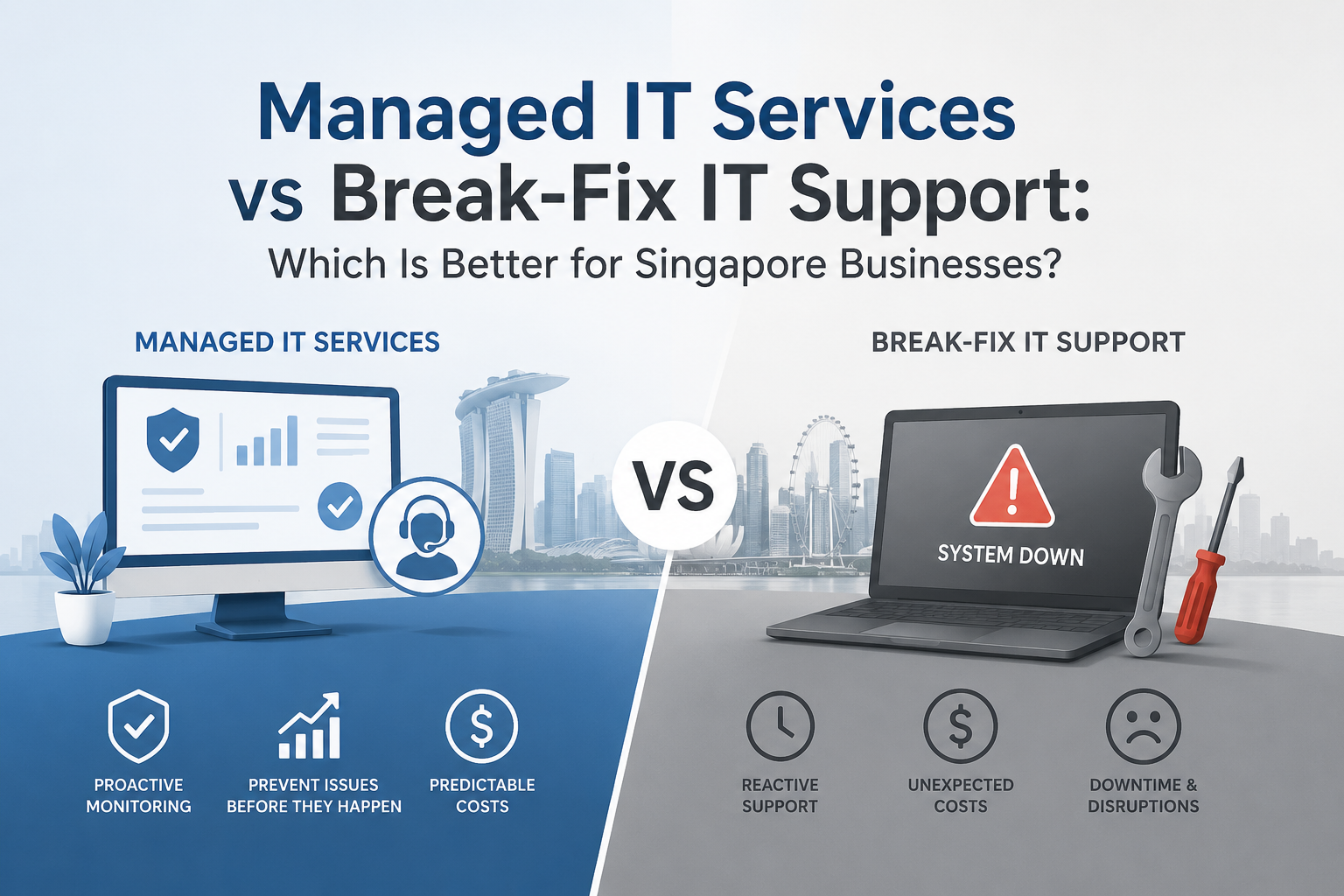
The key difference is when problems are addressed. Break-fix IT support responds after an issue has already disrupted your business, with costs incurred for each repair. Managed IT services take a preventative approach. A Managed Service Provider (MSP) continuously monitors, maintains and secures your IT environment to detect and resolve issues before they affect users. The result is less downtime, stronger cybersecurity, predictable monthly costs and an IT environment that supports business growth instead of slowing it down.
A Real-World Comparison: Break-Fix vs Managed IT
The best way to compare break-fix IT and managed IT is to look at the long-term outcome. Break-fix support resolves individual incidents but rarely addresses the underlying cause which can lead to recurring downtime and unexpected costs. Managed IT continuously monitors, maintains and optimises your IT environment to reduce disruptions, strengthen security and keep your business running smoothly.
One model keeps repeating the same problem. The other prevents it from happening again. Break-fix IT waits for something to fail before taking action, often leading to recurring downtime and unexpected repair costs. Managed IT continuously monitors and maintains your systems to reduce disruptions and keep your business running smoothly for a fixed monthly fee.
What Is Break-Fix IT Support?
Break-fix IT support is the traditional approach to managing technology. You only contact an IT provider after something has already gone wrong, whether it's a failed computer, an email outage, a server issue or a network disruption. Every incident follows the same four-step cycle.
Break-fix IT can seem cost-effective because you only pay when an issue occurs. However, every incident results in unplanned downtime before support begins. Beyond the repair cost, businesses also absorb the hidden costs of lost productivity, operational disruption, delayed customer response and employees waiting for systems to be restored. Over time, these indirect costs can exceed the cost of the repair itself.
What Is Managed IT Services?
Managed IT services take the opposite approach. Instead of waiting for something to fail, a Managed Service Provider (MSP) continuously monitors, maintains and secures your IT environment under a fixed monthly agreement. The goal is simple: identify and resolve issues before they affect your users, reducing downtime and keeping your business running smoothly.
A managed IT provider typically covers:
If you want the fuller picture of how this model works, our guide to what a Managed Service Provider does breaks down each service area.
Managed IT vs Break-Fix: Side by Side
Explore each approach or compare them side by side.
| Break-Fix IT Support | Managed IT Services | |
|---|---|---|
| Approach | Reactive - responds after issues occur | Proactive - prevents issues before they impact the business |
| Support model | Fix problems after they happen | Continuously monitors, maintains and resolves issues before they become disruptions |
| Cost | Pay per incident with unpredictable repair costs | Fixed monthly fee with predictable IT spending |
| Monitoring | Limited or no proactive monitoring | Continuous 24/7 monitoring of devices, servers and networks |
| Cybersecurity | Often added only after an incident or as a separate service | Security built in, including EDR, email protection, patching and backup |
| Planning | Focused on individual repairs | Ongoing optimisation, strategic planning and technology reviews |
| Business impact | Downtime occurs before support begins | Fewer disruptions through proactive maintenance and monitoring |
| Scalability | Requires additional support as issues increase | Easily scales as your business, users and infrastructure grow |
| Vendor management | Business coordinates multiple IT vendors | Single point of contact for IT support and vendor management |
| Best suited for | Small businesses with minimal IT dependence | Businesses that want proactive IT management with increasing security and operational demands |
Is Break-Fix IT Still the Right Choice for Your Business?
Break-fix IT can work well for small businesses with simple IT requirements. However, as your business grows, technology becomes increasingly critical to daily operations. That's when the limitations of reactive IT support become more apparent. Here are three common signs that a business has outgrown the break-fix model.
Unexpected downtime
Unexpected IT downtime can result from email outages, server failures, network disruptions or hardware issues. Every interruption reduces productivity, delays business operations and can affect customer service. While businesses often focus on the repair cost, the greater expense is usually the lost time and operational disruption caused by the outage.
No visibility into IT health
Without continuous monitoring, it's difficult to know the true health of your IT environment. Software can become outdated, critical security updates may be missed and backup failures can go undetected. By the time an issue is reported, it has often already impacted productivity, security or business continuity.
Cybersecurity gaps
RCybersecurity isn't something you can fix after an attack. Threats such as ransomware, phishing and data breaches require continuous protection through endpoint detection and response (EDR), security monitoring, access controls, email security and verified backups. A proactive security approach helps reduce risk, minimise downtime and protect business continuity.
Why Break-Fix Costs More Than You Think
Break-fix IT often appears less expensive because there's no fixed monthly fee. However, the true cost goes beyond the repair invoice. Every unexpected outage can lead to lost productivity, business disruption and emergency repair costs that aren't reflected on the bill. Over time, these hidden costs can exceed the savings of a reactive IT support model. Use the calculator below to estimate what break-fix IT could really be costing your business over a year.
For illustration only. Downtime costs are estimated using employee count, monthly working hours, hourly labour cost and S$450 per emergency call-out. The managed IT figure is an estimated monthly rate for comparison. Get a personalised quote here.
Same year, two very different finance conversations.
Managed IT provides predictable monthly IT costs instead of unpredictable repair bills. Businesses can plan their technology budget with confidence while proactive support helps reduce emergency call-outs, downtime and unexpected expenses.
Why More Singapore Businesses Are Switching to Managed IT Services
More Singapore organisations are moving to managed IT because the way businesses operate has changed. Technology now supports almost every part of the business, making downtime more costly than ever. At the same time, cyber threats are increasing, experienced IT talent is expensive and maintaining an in-house IT function can strain both budgets and resources. Managed IT services help address these challenges by delivering proactive support, continuous security monitoring, specialist expertise and predictable monthly costs.
How ServicePAQ Managed IT Services Help Prevent Downtime
Many businesses recognise that reactive IT is no longer enough, but making the transition can feel overwhelming. ServicePAQ fsimplifies the process with a modular managed IT solution tailored to your business. Start with the services you need today and expand as your organisation grows, without replacing your entire IT strategy.
Managed Endpoint Services
The foundation of proactive IT management. Every laptop, desktop and workstation is continuously monitored, secured and backed up, with remote support available whenever it's needed. ServicePAQ Endpoint provides the visibility and protection businesses need to minimise downtime and keep operations running smoothly.
Best for: Businesses looking to improve endpoint security, reduce IT issues and offload day-to-day device management to a trusted managed service provider.
↓ Add on top of Endpoint
Managed IT Helpdesk & Security Add-ons
Protect the people behind your business. ServicePAQ User delivers responsive IT helpdesk support, advanced email security, Microsoft 365 and SaaS backup, dark web monitoring and security awareness training. Priced per user, it helps employees work securely and confidently while reducing cyber risk across your organisation.
Best for: Businesses with five or more users that want reliable IT support, stronger user security and a dedicated helpdesk their team can depend on.
↓ For businesses with on-site infrastructure
Managed On-Premise Infrastructure
Built for businesses with on-premises or hybrid IT infrastructure. Whether you're running physical servers, firewalls, network switches or office Wi-Fi, ServicePAQ lets you choose only the services you need. We manage and maintain your existing infrastructure, helping improve performance, security and reliability without requiring a complete hardware refresh.
Best for: Businesses with on-premises servers, network infrastructure or hybrid cloud environments that want expert management without replacing their existing IT investment.
The full breakdown of how these layers combine is in How ServicePAQ Works.
Should Your Business Stay on Break-Fix or Move to Managed IT?
Break-fix IT can still be the right choice for businesses with simple IT needs and minimal reliance on technology. Select the statements that best describe your business to see whether break-fix IT or managed IT services are the better fit.
Tick the statements above that apply to your business.
Want to know where your IT environment stands?
Get your free 30-min IT assessment →Frequently Asked Questions
Yes, managed IT is generally a better fit for businesses that depend on technology every day. Unlike break-fix IT support, which reacts after problems occur, managed IT takes a proactive approach by continuously monitoring, maintaining and securing your IT environment. This helps reduce downtime, improve reliability and provide more predictable IT costs over the long term.
Managed IT is a monthly fee, while break-fix only charges when something fails. But break-fix costs arrive as unpredictable spikes and come bundled with downtime. Once you count lost working hours and emergency callouts, managed IT is often the cheaper model overall.
No, an MSP does not always replace internal IT staff, and in many cases it should not. Many businesses benefit from a co-managed IT approach, where internal teams focus on business applications, users and technology strategy, while the MSP handles areas such as continuous monitoring, cybersecurity, maintenance and specialised technical support. This gives businesses access to broader expertise without expanding their internal team unnecessarily.
Managed IT services are typically most valuable for SMEs that depend on technology but do not want the cost and complexity of building a large internal IT team. These businesses usually need reliable IT support, stronger cybersecurity, proactive monitoring and access to specialist expertise. In Singapore, this often includes growing organisations with around 10 to 300 employees, although the right fit depends more on IT complexity, security requirements and business reliance on technology.
Final Thoughts
The difference between break-fix IT and managed IT services ultimately comes down to one question:
Every business has different IT challenges. Modern businesses need more than IT support that appears when something breaks. A proactive IT partner helps minimise downtime, strengthen security and create a reliable technology foundation that enables growth, productivity and business continuity.
Build a More Reliable IT Foundation
We'll review your current IT environment, identify potential risks and gaps, and show you what a transition to managed IT could look like for your business
Explore Managed IT Services Singapore →Complimentary assessment · Experienced Engineering Team · Trusted by 300+ satisfied customer
ICONZ-Webvisions · Managed IT & Cloud Services · Singapore · iwv.works